Posts

NG E12 Error

Image
Multiple E12 Errors on NG 110/300 Black E12 If you have a machine that has multiple boiler level (E12) errors, please follow these steps: 1. Check level sensor continuity 2. Check wire harness continuity If continuity exists and both are OK , revert the software . You will need to go to BOX and download the previous software onto your tablet, then connect your Blue Box to the machine to revert the software following the instructions below. If you have an trouble, Smuckers has provided the tech support number in the instructions 800-477-7490

C700 Specialty Drink Settings

Image
C700 Secialty Drink Settings Chart This information can be found in Documents Library under: Coffee Machines > Smuckers > C700

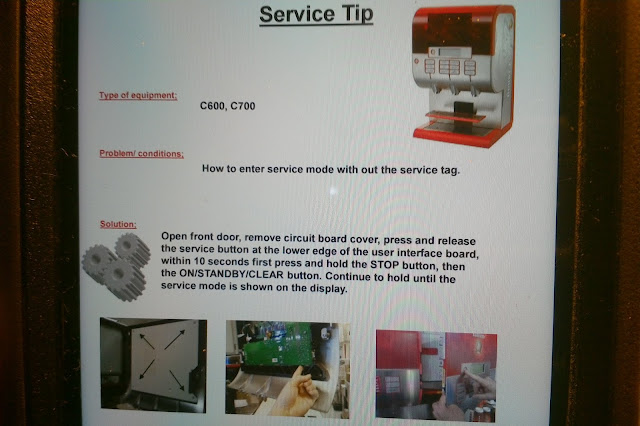
C600/700 Programming Without Service Tag

Image
Programming a C600/700 Without a Service Tag Don't have a Smuckers service tag, but need to access the programming? Here is how you can get your call completed without the tag. Now if you have broken or lost your tag, please get with the office for a replacement.

NG Unit Preventive Maintenance

Smuckers Checklist for PMs of NG Units Test all functions Clean unit inside and out Perform sanitation cycle Check cooling temp Check water temp Check volume on buttons/handles (if set to portion control) Check/replace water filter Replace lip seals Check inlet valve for lime (clean if necessary) Check product troughs Check outlet nozzles Check for leaks around outlet valves

Safety Devices

Image
Safety Devices Please remember, even though we want to get the customer up and running as soon as possible, we NEVER bypass ANY safety devices . They will appreciate your dedication to safety.

New 1850 Brew Settings

Image
Changing over customers from Folgers to Smuckers new 1850 premier product Some of our customers may switch from regular Folgers coffee to the new "1850" coffee. A switch in product will require a service call to change brew setting . The new 1850 brew settings are now available on BOX. When a coffee product change is made for an existing customer, without a new equipment installation, an 1850 product change will require a service call to adjust the brewer to the proper settings. IMPORTANT In every case, the new product and gourmet brew basket(s)/paper filters MUST be on site BEFORE the install or any adjustments made to the brewer! If you receive a service call to make adjustments for a new product, please refer to BOX. Here are the 1850 specifications Here are the 1850 settings 

SMUCKERS APP

Image
Tips to completing a Smuckers work order with multiple machines If you ever have to complete a large Smuckers work order with 8, 12 or say 44 machines attached, you may have some trouble completing the w/o in the Smuckers app. Here are a few tips that make it easier: #1- First thing, before you begin , log in and out of the app 3 times so you don't run into any issues midway. #2- Next, after filling in work details, enter all the information on one machine only. #3- Carefully click SAVE once and wait... this may take up to 10 minutes but be patient . It takes a while for the app to open up all the machines on the work order. #4- Once you get confirmation that it saved, carefully continue entering the information on the rest of the machines, while saving often. #5- If you have a large enough work order and you only did some of the machines that day, we can use the REMAINING SOLUTION button. After you are done logging in all the machines you worked on ...